ApowerREC
ApowerREC is a versatile screen recording software designed for capturing anything on your screen with high quality. Whether you want to record gameplay, tutorials, webinars, video calls, or presentations, ApowerREC offers powerful recording features such as audio recording, webcam recording, and annotations. It is a user-friendly and efficient tool for creating professional quality screen recordings.
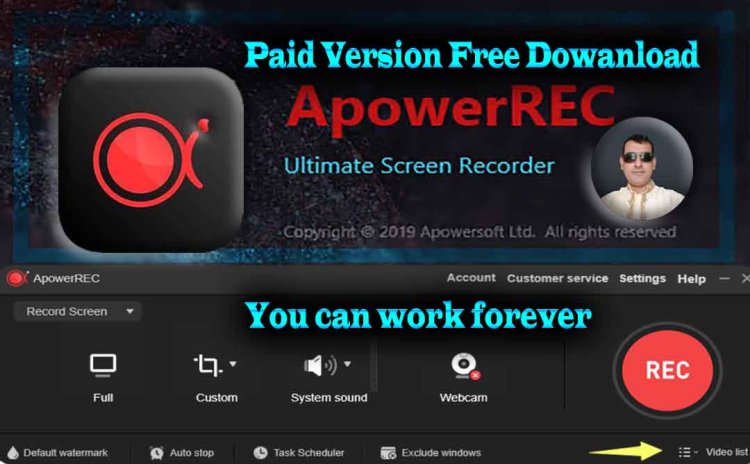
ApowerREC
ApowerREC is a versatile screen recording software designed to cater to a wide range of recording needs, from capturing gameplay to creating educational tutorials, conducting presentations, or even recording live streaming sessions. With its intuitive interface and powerful features, ApowerREC empowers users to capture high-quality recordings effortlessly.
Key Features:
-
Screen Recording: ApowerREC allows users to capture their entire screen or select specific regions with ease. Whether it's a full-screen recording of your desktop activities or a customized area, such as a specific application window, ApowerREC provides flexibility in capturing exactly what you need.
-
Multiple Recording Modes: Users can choose from various recording modes, including full-screen mode, region mode, webcam mode, and audio-only mode. This versatility ensures that ApowerREC caters to diverse recording requirements, whether it's recording video conferences, gameplay, or tutorial sessions.
-
Audio Recording: In addition to capturing video, ApowerREC enables users to record system sound, microphone input, or both simultaneously. This feature is invaluable for creating instructional videos, narrating presentations, or capturing live commentary during gaming sessions.
-
Real-time Editing: ApowerREC offers basic editing tools that allow users to enhance their recordings on-the-fly. Users can add text, arrows, shapes, or highlights to emphasize specific points, ensuring clarity and effectiveness in their presentations or tutorials.
-
Scheduled Recording: With the scheduled recording feature, users can set a specific time to start and stop recording automatically. This is particularly useful for capturing live streams, webinars, or any time-sensitive content without the need for manual intervention.
-
Task Scheduler: ApowerREC's task scheduler enables users to automate repetitive recording tasks. Whether it's recording daily meetings, weekly presentations, or monthly webinars, users can set up recurring recording tasks effortlessly.
-
Annotation Tools: ApowerREC provides a comprehensive set of annotation tools that allow users to annotate their recordings in real-time. From adding text captions to drawing freehand annotations, users can enhance their recordings with visual cues and explanations.
-
Flexible Output Options: After recording, users can choose from various output formats, including MP4, AVI, WMV, MOV, and more. Additionally, ApowerREC supports direct uploading to popular platforms such as YouTube, Vimeo, Google Drive, Dropbox, and FTP servers, streamlining the sharing process.
-
High-Quality Output: ApowerREC ensures high-quality output with customizable video settings such as resolution, frame rate, and bitrate. Users can adjust these settings to balance file size and video quality according to their preferences and requirements.
-
Cross-platform Compatibility: ApowerREC is compatible with both Windows and Mac operating systems, allowing users to seamlessly switch between platforms without sacrificing functionality or performance.
Conclusion:
In summary, ApowerREC is a feature-rich screen recording software that caters to a wide range of recording needs. Whether you're a gamer, educator, presenter, or content creator, ApowerREC provides the tools and flexibility to capture, edit, and share high-quality recordings effortlessly. With its intuitive interface, powerful features, and cross-platform compatibility, ApowerREC is the go-to solution for anyone seeking professional-grade screen recording capabilities.
Download ApowerREC For Free: Dowanload
ZipFile Password: itnazrul.com
Click Here For Dowanload Button

What's Your Reaction?